
ToolBar
This control allows your users to select tools with a tap of their finger.
Explore the capabilities, screenshots, features, and resources for this control.
Overview
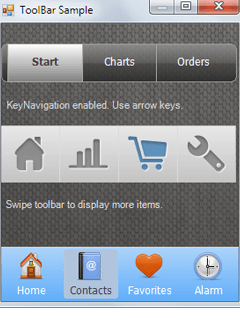
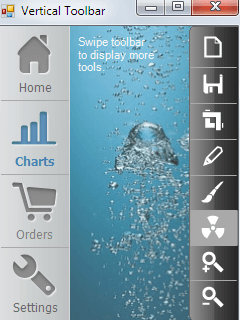
ToolBar is the perfect component to create a pane of tools in either a horizontal or vertical layout. Each tool can contain a transparent png icon along with a text label. You can seamlessly finger-scroll through sets of tools displayed across a semi-transparent, gradient-filled background. Save precious space on your display and give your users a finger-friendly experience with ToolBar.
Screenshots
Features
- Double-buffered
- Semi-transparent
- Choice of horizontal or vertical orientation
- Transparent PNG images as custom icons
- Text labels