
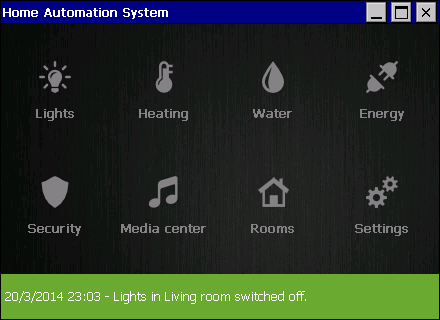
Designing pretty UI for Windows CE devices can be tricky. Therefore we would like to give you some ideas, how to use iPack controls and create GUI that matches modern design guidelines. This use case is a mock up of Home Automation application with vast functionality. It allows you to control lights in rooms, heating in rooms, hot water, irrigation, energy consumption, security cameras, home media center with movies and music.
If you are building a home automation application it may be a good ground to start. You can download this project at the bottom of this page.
If you would like us help you create modern UI for Windows CE using iPack controls send us a message.
Used controls
- iMenu
- iWheel
- LineChart
- RoundTextBox
- RoundComboBox
- TForm
- TransparentPanel
- TLabel
- TLabelAnimated
- TVistaButton
- TCheckBox
- TPictureBox
- TextViewer
- TabControl
- TouchList
- TrackBar
Sceenshots
Home screen by iMenu

Lights section.
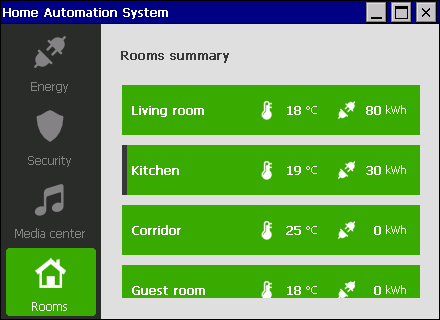
Rooms summary section.

New schedule form.

New schedule form with iWheel.

Energy section with TouchList.

Energy consumption graph using LineChart.
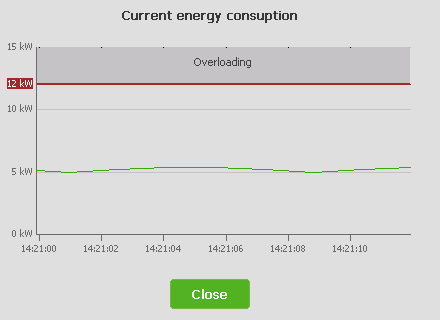
Live energy consumption graph using LineChart.

Security section.

Disarm security form with RoundTextBox.

Media center section.
Use case is written in C#