
F&S Boards
Embedded Systems / F&S Boards
Running Bee Mobile products on F&S boards
Bee Mobile works with F&S boards because they provide reliable Embedded Linux platforms suitable for industrial and professional applications. They are a strong fit for scenarios where customers want to run Bee Mobile iDesk on modern hardware beyond legacy Windows CE / Windows Mobile environments.
Bee Mobile iDesk product has been tested on several F&S boards, and this section documents the setup path we use when preparing such boards for Embedded Linux deployments.
Boards we tested with iDesk
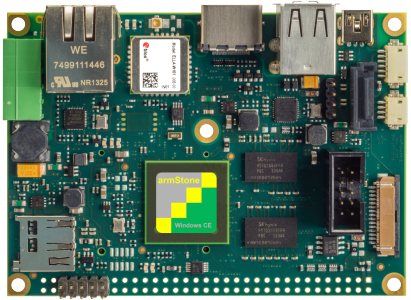
armStone A9
Single-board computer platform suitable for Embedded Linux development and deployment scenarios.
Tested with iDesk
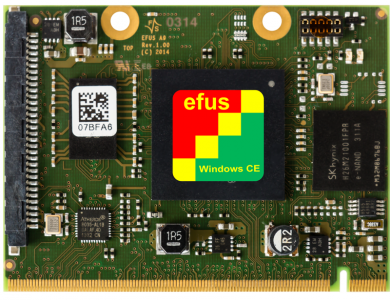
efus A9
Computer-on-module solution used in embedded environments where a compact and flexible Linux-based platform is needed.
Tested with iDesk
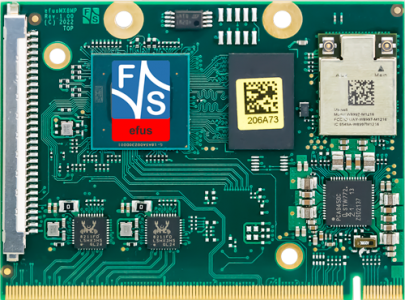
efus MX8MP Rev. 1.0
Modern F&S computer-on-module platform based on NXP i.MX 8M Plus, suitable for current Embedded Linux projects.
Tested with iDesk
Setup approach
How to prepare F&S board
The F&S workflow is based on preparing the target hardware, starting up a Fedora-based Yocto build environment, building a customized Embedded Linux image, and extending that image with the runtime requirements needed by Bee Mobile products.
For iDesk scenarios, the most important runtime component is Mono Runtime. Once the operating system image is properly prepared, the board can host and execute iDesk applications on Embedded Linux.
The documentation linked in the setup sequence walks through this process step by step. We recommend following the articles in order.
Documentation notice
Information may change over time
Technical details on this page may change as vendor tools, board support packages, operating system images, and runtime versions evolve.
This page was last technically reviewed on May 3, 2026. If your setup differs from the one described here, please contact us for help.